Showing posts with label thesis. Show all posts

Saturday, May 5, 2012

Experiment: Oil Painting (Part IV)

The progression of a painting. I am not pleased with this one yet. It is roughly based on this image:


Tuesday, May 1, 2012

Daily Skies (Part VI): Storm Edition

Recently there was a nice huge storm. I was stuck at work at the time, and we wondered if our electricity would go out. But when the rain finally petered out, we looked out our back door and saw an amazing rainbow. In fact was a double rainbow, both bows of which were full intact Unfortunately, due to the limitations of my phone camera, I could not get the whole thing in one shot, and I did not have time to get enough pictures to Photomerge together to make one myself.


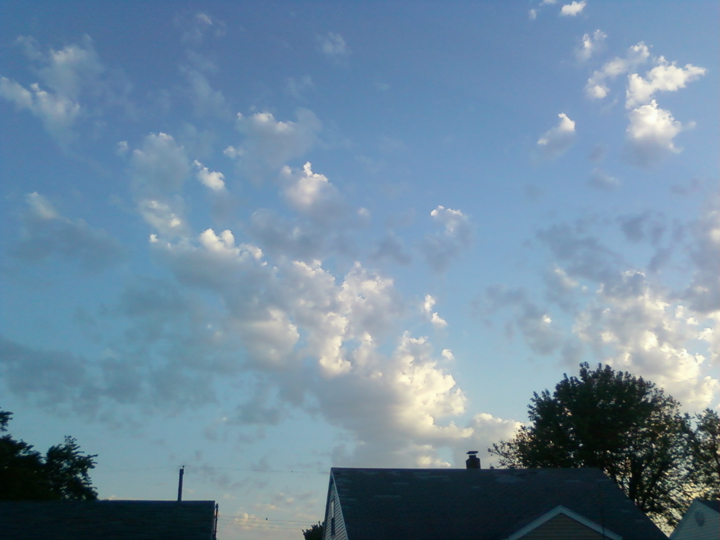
The morning after, the clouds were still beautiful.


Wednesday, April 11, 2012

Experiment: Oil Painting (Part II)

The progression of a painting, roughly based off of this image from my daily sky images:


Thursday, April 5, 2012

Experiment: Oil Painting

I haven't posted a lot of my actual thesis work. That's because I've been mostly focusing on oil painting, and since I've technically only taken one class on the subject, much of what I've done this year I'm calling "learning experiences". I would rather not show these learning experiences to the public. For example, last quarter, I made a painting that was 4ft x 1.5ft. I decided to try my hand at stretching my own canvas. So I looked up instructions online (you can really find just about everything online!), bought a roll of unprimed canvas, gesso, and some pre-made wooden stretchers (the bars that make up the "frame" of the canvas).

4ft was about the tallest stretchers the store sold, and they only had two, so I had to buy both of  them. One of them was severely warped. But I made do; I tried to unwarp it with wet paper towels and heavy books. This seemed to be working, but it drifted back into place after I had assembled the canvas and had begun painting. So I was stuck with a warped painting that simply would not lat flat on the wall. I had to hang it in a thesis gallery show, and it was embarrassing. I did not take any photos of it.

Fortunately, I got instructions on how to build my canvases completely from scratch, stretchers and all. This quarter, I decided to go for broke and make four all at once.

The stretchers, made from 1x3s and quarter-round molding:


 Triangle corner pieces:


Here's where those triangles go:


Ready to nail together:

 The final product:
 

Only three of the four frames ended up useable; one of my long stretches ended up at least half an inch too short somehow, and though I tried to wrangle things into place, it was just a sad mess. I will get more supplies and make a new fourth frame sometime soon.

Wednesday, March 28, 2012

Daily Skies (Part IV)

The only problem with being so obsessed in taking photos of the sky is that my current digital camera is too bulky and unreliable to keep with me at all times. That leaves me with one other option: my phone's camera. It takes ok pictures, and I can pull it out reasonably quickly when I'm driving (which is when most of my photo opportunities happen), but it's not good enough. It can't capture the nuances of color my own eyes see. Plus there are often interesting cloud formations right on the horizon, and they look big to me, but on the phone's display, they are quite small. It's difficult and annoying when my phone simply can't capture what I want it to. A good, portable digital camera is an investment I need to make, and soon.


Case in point, this last image. The way I could see the sky through my own eyes, there was lots of the pink dusting on the underside of the clouds. But in the image my camera took, there is very little. It bugs me. This is an example of both the color limitations and the automatic zoom out/wider angle business I mentioned.

Wednesday, March 14, 2012

Daily Skies (Part III)

There's a really nifty tool in Adobe Photoshop called Photomerge. In Photoshop (at least in the CS3 version), it can be found in File > Automate > Photomerge. You can choose multiple files to load into the program, and Photoshop will automatically combine them into one large image. I consider myself to be reasonably tech-savvy, but I don't know how Photomerge works. It seems like magic to me.

One day recently, I took a bunch of photos of a colorful, interesting sky, slightly overlapping, for the sole purpose of using Photomerge to create a panoramic view. And here is the end result.


Thursday, March 1, 2012

Daily Skies

Because the world is round, it turns me on
Because the world is round...
Because the wind is high it blows my mind
Because the wind is high...
Love is old, love is new
Love is all, love is you
Because the sky is blue, it makes me cry

Because the sky is blue
(The Beatles, "Because")
While I will not be posting daily, I do take reference photos of the sky every day. And so I thought it would be neat to show a handful of them every week. There are primarily taken from my phone camera, as that is the most convenient to have with me at all times. Consequently, the photos don't really capture the sky as I see it; my phone camera is too weak to see all the colors like my eyes do. But it's what I have at my disposal, and I still have my memory.